








































































The Seating Chart That Took Three Weekends: The NRI Couple's Complete Guide to Digital Seating Chart Tools for Indian Weddings
Two hundred and eighty-four guests, twenty-three tables of varying sizes, thirty interpersonal constraints, and a spreadsheet that turned a single family dynamic change on Sunday evening into forty-five minutes of manipulation. The Indian wedding seating chart is more complex than the equivalent challenge at a Western wedding of comparable size — the family geography, the cultural mix of international and Indian guests, the dietary complexity, and the multi-event structure create a specific set of requirements that most seating tools were not designed for. This guide delivers an honest assessment of Social Tables, AllSeated, Zola, TablePlanner, and Google Sheets against the criteria that actually matter for Indian wedding seating, the hybrid approach that uses each tool for the phase it serves best, the data quality requirements that make any tool work, and the honest acknowledgment that the tool serves the decision rather than replacing it.


Digital Seating Chart Tools That Work for Indian Weddings
The NRI couple's practical guide to the specific challenge of seating three hundred guests across five tables of cultural complexity — the tools that help, the tools that do not, and the discipline that no tool can replace
The Seating Chart That Took Three Weekends
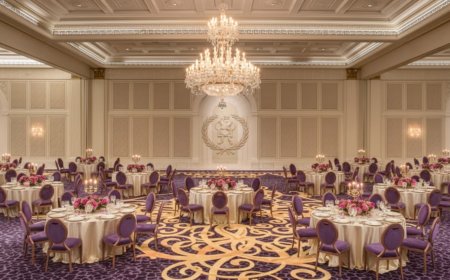
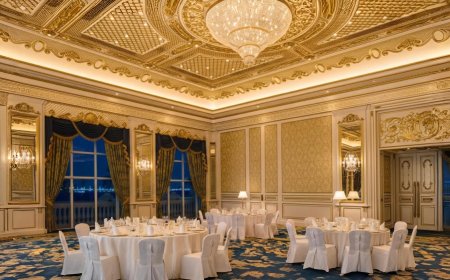
The reception guest list was two hundred and eighty-four people. The venue had twenty-three tables of varying sizes — the round tables of twelve in the main hall, the rectangular family tables along the perimeter, the head table for the wedding party, the children's table near the side entrance.
The seating chart had started as a spreadsheet. By the end of the first weekend, the spreadsheet had become unwieldy — the process of moving a guest from one table to another required finding them in the list, deleting the table assignment, finding the new table, adding the name, checking the new table's count, checking the old table's count, and making sure the dietary requirement that was attached to the guest had transferred correctly. Moving eight guests to accommodate a family dynamic that the bride's mother had identified on Sunday evening required approximately forty-five minutes of spreadsheet manipulation.
By the end of the second weekend, the couple had switched to a digital seating chart tool — one that allowed guests to be dragged between tables visually, that showed the table count updating in real time, and that displayed the dietary requirements as a color-coded indicator on each guest's name. This was significantly better than the spreadsheet.
By the end of the third weekend, the seating chart was complete — two hundred and eighty-four guests seated in a configuration that: kept the groom's maternal family away from his paternal family's table, placed the international guests near welcoming bilingual family members, separated the two guests who were no longer speaking, gave the elderly grandparents the table nearest the exit and the restrooms, seated the children near the children's area and away from the speeches, and reflected approximately fifteen other specific interpersonal requirements that the bride and groom had accumulated over the course of the planning process.
The tool had made the mechanical work significantly easier. The three weekends had been spent primarily on the decisions — the specific human knowledge of two hundred and eighty-four people and their relationships with each other — that no tool can make.
This guide provides the tools assessment. The decisions remain the couple's.
Why Indian Wedding Seating Is Specifically Challenging
The Indian wedding's seating challenge is more complex than the equivalent challenge at a Western wedding of comparable size — for reasons that are specific to the occasion's social structure and that the seating chart tool must be able to accommodate.
The Family Geography
The Indian extended family's social geography — the specific relationships between family branches, the history that makes certain seating combinations comfortable and others not, the generational hierarchies that determine who sits where relative to the couple and to each other — is a complexity that the Western wedding's seating challenge typically does not have at the same scale.
The groom's maternal family and his paternal family, who have a history that the wedding is not the occasion to revisit. The bride's father's side and her mother's side, who have met at the wedding but who do not know each other. The specific family elder whose placement relative to the couple's table communicates respect or its absence in ways that the family will notice. The family branch from a different region whose members do not speak the same language as the branch they might otherwise be seated with.
Each of these is a seating constraint — a specific requirement that the seating chart must satisfy — and the Indian wedding of two hundred guests may have thirty such constraints before the couple has begun considering the preferences of any individual guest.
The Cultural Mix
The NRI wedding's guest list includes the specific cultural complexity of guests who are navigating an Indian wedding from outside the cultural context. The international guest who does not speak any Indian language and who has never attended an Indian wedding before is a guest who needs to be seated near someone who can help them navigate the occasion — a bilingual, culturally fluent guest who is willing to play the role of guide and interpreter.
The seating chart that seats international guests together — isolating them in their own cultural bubble at the far end of the room — has not served them. The seating chart that distributes international guests thoughtfully among Indian guests who can welcome them has.
This distribution requires specific knowledge of which Indian guests are comfortable in English, which are warm to strangers, and which international guests would benefit from sitting near someone who shares their specific background or interests — knowledge that the seating chart tool cannot have and that the couple must provide.
The Dietary Complexity
The Indian wedding's dietary landscape — the distinction between vegetarian and Jain vegetarian, the no-onion-no-garlic requirement, the halal requirement, the nut allergy that is life-threatening rather than a preference — creates a specific catering management requirement that the seating chart must support.
The caterer who is serving a table of twelve needs to know, for each seat, the specific dietary requirement that affects what is placed in front of that specific person. The seating chart that carries dietary information at the guest level and communicates it in a format the caterer can use is the seating chart that enables accurate dietary service. The seating chart that carries dietary information only as a total count — three vegetarians at table seven — does not tell the server which three seats.
The Multi-Event Seating
The NRI wedding's multi-event programme may require seating arrangements for multiple events — the mehendi, the sangeet, the ceremony, the reception — each of which has different guest lists, different venue configurations, and different seating logic.
The seating chart tool that manages multiple events independently, carrying guest information across events without requiring re-entry, is the tool that serves the NRI wedding's multi-event structure. The tool that is designed for a single event requires the seating work to be repeated from scratch for each event.
The Tool Assessments
Seating Arrangement by Social Tables
Social Tables is a professional event planning platform whose seating and diagramming tools are the most sophisticated available in any publicly accessible platform — used by professional event planners and wedding coordinators as their standard operational tool.
What it does well:
The floor plan builder is the most capable in any assessed tool — the ability to create an exact representation of the venue's floor plan, with precisely positioned tables of any shape and size, walls, doors, stages, and other architectural elements. The floor plan that accurately represents the actual venue — rather than a generic rectangular room with round tables — is the foundation for a seating arrangement that works when the guests arrive rather than only when it is being designed.
The guest management integration — importing the guest list from a spreadsheet or a connected platform, with dietary requirements and accessibility needs carried through to the seating assignment — means the seating chart carries the guest information rather than requiring the information to be re-entered in a separate system.
The real-time collaboration — multiple users editing the seating chart simultaneously, with changes visible in real time — is the feature that makes Social Tables particularly appropriate for the NRI wedding where the couple, the wedding planner, and family members may be working on the seating chart from different locations.
The export options — the detailed floor plan export that the venue can use for setup, the table-by-table guest list that the caterer can use for service, the visual seating chart that can be displayed at the venue entrance — are more comprehensive and more professional than any other assessed tool.
Where it falls short:
Social Tables is a professional platform whose interface reflects its professional user base. The learning curve for a first-time user is steeper than the consumer-focused tools. A couple who is using the tool for a single wedding will spend more time learning the platform than a professional planner who uses it daily.
The pricing — Social Tables is a subscription service whose pricing is calibrated to professional users — is significantly higher than the consumer tools. For couples who want the professional tool's capabilities, the cost is justifiable. For couples whose seating chart is straightforward, the cost may not be.
Best for: Couples with complex venues, large guest lists, and multiple events who are working with a professional wedding planner who already has a Social Tables account. The wedding planner who manages the seating chart in Social Tables and provides the couple with access to view and comment is the most efficient use of the platform.
AllSeated
AllSeated is a dedicated event seating platform that occupies the middle ground between Social Tables' professional complexity and the consumer tools' simplicity — more capable than the consumer tools and more accessible than Social Tables.
What it does well:
The 3D floor plan — AllSeated's specific differentiator — allows the couple to view the seating arrangement not only from the standard overhead perspective but from a three-dimensional view that approximates what the room will actually look like. For the NRI couple planning a wedding remotely, the 3D view provides a spatial understanding of the venue that the overhead diagram does not.
The vendor access — the ability to share the seating chart with the venue, the caterer, and the wedding planner, each with appropriate access levels — means the seating chart is a shared operational document rather than a couple's private planning tool that must be manually communicated to the vendors who need it.
The dietary requirement display — dietary information visible on each guest's seat in the floor plan view — is among the clearest implementations of this feature in any assessed tool.
Where it falls short:
AllSeated's floor plan builder, while capable, requires more time to set up accurately than the tool's marketing implies. The couple who expects to have an accurate floor plan in thirty minutes will typically spend two to three hours achieving the accuracy that makes the seating chart useful.
The mobile experience is less polished than the desktop experience — the seating manipulation that is intuitive on a desktop becomes awkward on a tablet and nearly unusable on a phone.
Best for: Couples who want more capability than the consumer tools provide, who are doing significant seating work themselves rather than delegating to a wedding planner, and who value the 3D visualization for remote planning.
Zola Seating Chart
Zola's seating chart tool is the most accessible of the assessed options — built for the consumer user who has no event planning experience and who wants to create a seating chart without a significant learning investment.
What it does well:
The integration with Zola's guest management system — if the couple is using Zola for their RSVP management — means that confirmed guests are automatically available in the seating tool without manual import. The dietary requirements and RSVP status carry through from the guest management to the seating chart.
The interface is intuitive — the drag-and-drop seating manipulation, the table count display, the visual representation of the room — requiring minimal learning to begin using productively.
The price is included in the Zola platform subscription, which for couples already using Zola represents no additional cost.
Where it falls short:
The floor plan customization is limited — Zola's seating tool works with a small number of standard room and table configurations rather than the custom floor plan that accurately represents the specific venue. The couple whose venue has an irregular shape, non-standard table sizes, or a complex layout will find Zola's floor plan inadequate.
The Indian wedding's multi-event seating requirement is not well-served — Zola's seating tool is designed for the single-event Western wedding structure and does not manage multiple seating arrangements across multiple events as efficiently as the professional tools.
The export options are limited — the seating chart format that the caterer and the venue need for operational planning is not as comprehensive as the professional platforms provide.
Best for: Couples who are already using Zola for guest management, whose venue has a standard configuration, and whose seating chart is relatively straightforward — not the two-hundred-and-eighty-four-guest Indian wedding with thirty family dynamic constraints, but the more intimate gathering whose seating is primarily a logistics exercise rather than a complex social puzzle.
TablePlanner
TablePlanner is a dedicated seating chart application — available as a desktop application and a web app — whose specific focus on the seating problem produces a tool that is more capable than the general wedding planning platforms' seating modules.
What it does well:
The guest group management — the ability to define groups of guests and to see at a glance which groups are seated together, which are separated, and which are adjacent — is the specific feature that addresses the Indian wedding's family geography challenge. The couple who has defined the groom's maternal family as a group and the groom's paternal family as a group can use TablePlanner's group management to ensure the two groups are positioned appropriately relative to each other across the full room.
The constraint system — the ability to mark specific guest pairs as "must sit together," "must not sit together," or "prefer to sit together" — and to check the current seating arrangement against these constraints is the specific tool that manages the Indian wedding's interpersonal complexity systematically rather than from memory.
The guest notes field — visible in the seating interface — allows the couple to attach the specific contextual information that affects seating decisions to each guest's record. The note that says "recently divorced from table 7's guest 3, please keep separate" is visible when the seating decision is being made rather than requiring the couple to remember it.
Where it falls short:
The floor plan builder is less capable than Social Tables or AllSeated — the venue representation in TablePlanner is more schematic than precise, which is adequate for seating planning but insufficient for the operational documents the venue and caterer need.
The collaboration features are less developed than the professional platforms — the seating chart that is being worked on by the couple and the wedding planner simultaneously requires a specific workflow to avoid overwriting each other's changes.
Best for: Couples who are managing the seating chart themselves, whose primary challenge is the interpersonal and family dynamic complexity rather than the floor plan precision, and who want a tool specifically designed for the seating problem rather than a module within a broader wedding planning platform.
Google Sheets as a Seating Tool
Google Sheets is not a seating chart tool. It does not provide a visual representation of the room, it does not support drag-and-drop guest manipulation, and it does not display dietary requirements as a visual indicator on each guest's name.
Google Sheets is, however, the tool that many NRI couples use for their seating chart — because it is the tool they are already using for their planning documents, because it requires no additional account or subscription, and because its flexibility allows it to be configured as a serviceable seating management system even without the visual interface.
The Google Sheets seating approach that works:
One sheet per table, with the guest names, dietary requirements, and any relevant notes in each sheet. A summary sheet that shows the count for each table, the dietary requirement totals, and any unassigned guests. The color-coding that makes the dietary requirements visible at a glance.
The specific limitation of this approach: moving a guest between tables requires the manual process described in the opening scenario — delete from one sheet, add to another, check both counts, verify the dietary information has transferred. This manual process is manageable for a seating chart of fifty guests and becomes increasingly burdensome for two hundred guests with thirty interpersonal constraints.
Best for: Couples whose guest list is small and whose seating requirements are relatively simple, who want to keep the seating chart within their existing Google Workspace planning environment rather than introducing a new tool.
The Hybrid Approach: The Right Tool for Each Phase
The most effective seating chart process for a complex NRI wedding uses different tools for different phases of the work:
Phase one — the constraints collection: A Google Sheet or a simple list that captures all the specific seating requirements — the must-sit-togethers, the must-not-sit-togethers, the accessibility requirements, the dietary clusters, the language requirements for international guest placement. This phase is about gathering the human knowledge that the seating decisions require, and a simple list is adequate for the collection.
Phase two — the initial assignment: A dedicated seating tool — TablePlanner for the interpersonal complexity, Zola for the simpler arrangement — for the initial guest-to-table assignments. The visual interface and the real-time count management of the dedicated tool make the initial assignment faster and less error-prone than the spreadsheet.
Phase three — the review and refinement: A shared access seating chart — in AllSeated or Social Tables if the wedding planner is involved, in the dedicated tool with shared access for family input — that allows the review of the initial assignment by the relevant stakeholders.
Phase four — the operational export: The export from the seating tool to the formats the venue and the caterer need — the floor plan for venue setup, the table-by-table dietary requirement list for service management, the visual guest-facing seating chart for display at the venue entrance.
The Data That Makes Any Tool Work
Every seating chart tool is only as good as the data it contains. The tool that has incomplete guest information — missing dietary requirements, unconfirmed RSVPs, guests added after the initial import — produces a seating chart that does not reflect the reality of who is attending and what they need.
The data quality requirements for an effective seating chart:
Confirmed RSVP status: Every guest in the seating chart should be a confirmed attendee. The seating chart that includes unconfirmed guests — and that reserves seats for people who may not attend — is the seating chart that requires revision when the RSVP deadline passes and the unconfirmed guests' status is resolved.
Complete dietary information: Every confirmed guest should have their dietary requirement recorded — including the default "no restrictions" that confirms the couple has considered the question rather than simply not collected the information. The guest whose dietary requirement is unknown is the guest who may receive the wrong meal.
Accessibility requirements: Every guest with a mobility, hearing, or other accessibility requirement should have that requirement recorded and visible in the seating tool. The guest who uses a wheelchair and who has been assigned a seat that requires navigating three steps to reach has been let down by a seating process that did not carry accessibility information through to the assignment.
Party associations: Guests who are attending as a couple, a family, or a group should be linked in the seating tool — so that the tool's optimization can keep them together and the manual separation of associated guests is flagged rather than silent.
The Seating Chart the Guests See
The seating chart that is displayed at the venue entrance — the physical or digital display that tells arriving guests which table they are seated at — is the guest-facing output of the seating process and a specific element of the wedding's first impression.
The standard printed table — alphabetical list of names with table numbers beside them — is functional. The specifically designed seating display — one that reflects the wedding's aesthetic, that is clear and readable from a standing distance, that is organized in a way that allows a guest to find their name in under ten seconds — is an element of the welcome that communicates the same care as the florals and the lighting.
Most of the assessed tools provide an export that can be adapted for the guest-facing display — the AllSeated floor plan export, the Social Tables guest list export, the Zola seating chart print view. The adaptation of this export into a specifically designed display is work for the stationery designer or the couple themselves, using the tool's output as the data source.
The Tool Serves the Decision
The three weekends the couple in the opening scenario spent on their seating chart were not spent learning the tool. They were spent making the decisions that the seating chart required — the specific human knowledge of two hundred and eighty-four people and the specific requirements of their attendance at this occasion together.
The tool made the mechanical work easier. It did not make the decisions easier, because the decisions are not a mechanical problem. They are a knowledge problem — who are these people, what do they need, what does the occasion require of their placement — that the couple alone has the information to answer.
The best seating chart tool is the tool that makes the mechanical work invisible — that handles the count management, the dietary display, the constraint checking, and the export — so that the couple's attention and energy is available for the decisions that only they can make.
Find that tool. Then make the decisions.
NRIWedding.com — Expert guidance for Indian weddings planned across borders.
What's Your Reaction?
 Like
0
Like
0
 Dislike
0
Dislike
0
 Love
0
Love
0
 Funny
0
Funny
0
 Angry
0
Angry
0
 Sad
0
Sad
0
 Wow
0
Wow
0