



































































Creating a WhatsApp Group for Wedding Guests — Best Practices: The Complete NRI Planning Guide
Most NRI couples create a wedding WhatsApp group because other couples have created groups — without deciding what function the group serves, who can post in it, what content belongs in it, or how it will be closed when the wedding is over. The result is the group that produces incorrect shuttle timing information shared by well-meaning guests, seventeen responses to a message intended as private, and the specific anxiety of a communication channel that has become a source of noise rather than clarity. This complete guide gives NRI couples the full framework for building a WhatsApp group that genuinely serves the guest experience — covering the two fundamental models of broadcast channel versus community group and how to choose between them, the technical setup including admin settings, group name, description and membership controls, the consent principle and joining link approach, the timing of member addition, the complete pre-wedding content calendar, the wedding week daily message framework including morning briefing, event reminder, real-time update and post-event message, the post-wedding archive protocol, the community group management tools including group rules and active moderation, the sub-group model for complex guest lists, the international guest specific group, the etiquette guide for members, technology alternatives including wedding website and email, and the five common mistakes that turn a useful logistics channel into the group that caused eleven guests to miss the first shuttle.

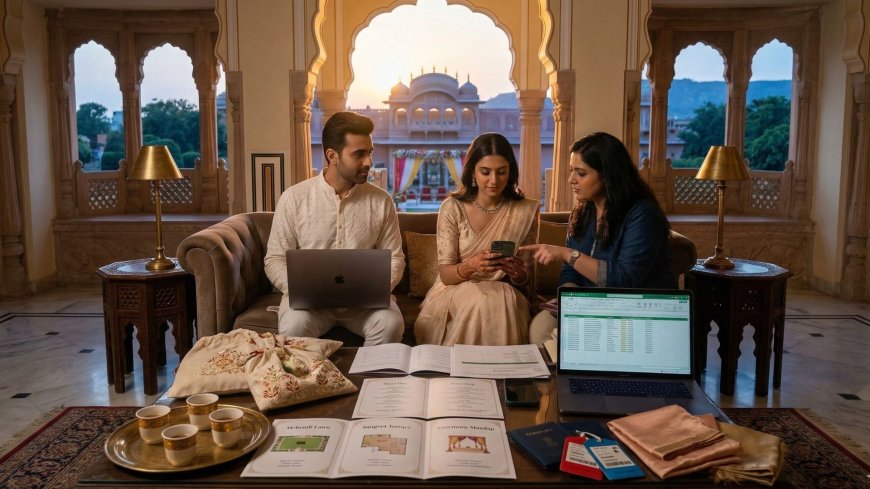
Creating a WhatsApp Group for Guests: Best Practices
The Group That Helped and the Group That Did Not
Two weddings. Same month. Same general size — approximately two hundred and fifty guests each. Both NRI destination weddings in India. Both couples thoughtful, well-organised, genuinely committed to their guests' experience.
Both couples created a WhatsApp group for their guests.
The first group was created eight months before the wedding. It was added to in the invitation — "join our wedding WhatsApp group for updates and information" — with a link. By the wedding week, it had two hundred and thirty-one members. Messages were sent by anyone who had joined. The content included: logistics updates from the couple, questions from guests that had been answered incorrectly by other guests, a photograph of someone's connecting flight that had nothing to do with the wedding, a chain of congratulatory messages triggered by each new person who joined, a debate about the correct pronunciation of the groom's surname, seventeen individual responses to a message that had been sent to the group but was clearly intended as a private message, and a specific incident on day two of the wedding where a miscommunication about the shuttle timing — wrong information shared by a well-meaning guest — caused eleven people to miss the first shuttle and arrive at the sangeet forty minutes late.
The second group was created six weeks before the wedding. It was described in the invitation as a broadcast channel — "we will send you updates about the wedding programme through this channel." Only the couple and their coordinator could send messages. The content included: a welcome message with the complete event programme attached, daily briefing messages during the wedding week with the day's schedule and practical tips, real-time updates when a shuttle was running five minutes late, a message after the ceremony with a single photograph and a brief note of thanks. The group was archived the day after the farewell brunch with a final message that thanked every guest for attending and told them how to find the professional photographs when they were ready.
The first group was active. The second group was useful.
The difference between these two outcomes was not the technology — both were WhatsApp groups. It was the specific decisions the couple made about how to use the technology, what function the group was serving, and who could speak in it.
This guide is the complete framework for making those decisions correctly.
The Core Reality: What WhatsApp Groups at Weddings Are Actually For
The Function Before the Format
The single most important decision in creating a wedding WhatsApp group is the decision about what function it serves — made before the group is created, before the link is shared, before a single member joins.
Most couples create wedding WhatsApp groups without making this decision explicitly. They create the group because other couples have created groups, because it seems like the natural communication channel for a large gathering, because the technology is available and free and familiar. The function is assumed rather than decided — and the assumed function is typically something vague like "keeping everyone informed" or "communicating wedding details."
The problem with the vague function: When the function is not specific, the group fills with whatever its members decide to put in it. And what two hundred and fifty people decide to put in a WhatsApp group is not always what serves the guest experience or the couple's communication goals.
The specific functions that a wedding WhatsApp group can serve effectively:
One-way logistics broadcasting — sending specific, accurate, time-sensitive logistical information to all guests simultaneously. This is the function that produces the most consistent value and the least collateral noise.
Community building — creating a space for the guest community to connect, share excitement, and build the social warmth of the occasion before it begins. This function produces genuine value but requires specific management to prevent it from becoming the first group described above.
Specific sub-group coordination — managing the logistics of a specific group within the guest list, such as international guests travelling from the same city, or the bridal party, or the family members staying at a specific property.
The guidance: decide the function before creating the group, and create a group structure that serves that function specifically rather than creating one group that is expected to serve all functions simultaneously.
The Two Models
There are two fundamentally different models for the wedding WhatsApp group, and the decision between them should be made before the group is created.
Model One — The Broadcast Channel:
A group in which only the couple and their designated coordinator can send messages. All members receive the messages but cannot respond in the group. The function is one-way communication — logistics, updates, information. The content is entirely controlled. The noise level is zero.
The broadcast channel model produces a group that is consistently useful and consistently managed. It does not produce community — it does not create the social warmth of a space where guests interact. It is a communication tool, not a community space.
Model Two — The Community Group:
A group in which all members can send messages. The function is two-way communication and community building. The content is partially controlled through group rules and admin management. The noise level varies from low to significant depending on the management approach.
The community group model produces social warmth and genuine connection between guests who may not know each other. It also produces the shuttle timing incident, the incorrect information chain, and the seventeen responses to a message intended as private — if it is not managed carefully.
The guidance: For NRI destination weddings with large, diverse international guest lists, the broadcast channel model produces more consistent value with less risk. The community group model can be valuable but requires specific management infrastructure that is described later in this guide.
Creating the Group: The Technical Decisions
The Group Name
The group name should communicate its function clearly and warmly — not just the couple's names and the wedding date, but an indication of what the group is for and what guests should expect from it.
Group names that work:
[Name] and [Name]'s Wedding — Official Updates
[Name] + [Name] Wedding | Guest Information
[Names] Wedding Jaipur — Logistics and Updates
The word "official" or "updates" or "information" communicates that this is a managed channel rather than an open forum. It sets expectations correctly before the first message is sent.
Group names to avoid:
Generic names that do not differentiate the group's function — [Names] Wedding — give no indication of what the group is for and invite the full range of uses.
Overly casual names that suggest an open chat format — [Names] Wedding Fam — invite the group culture of the first wedding described above.
The Group Description
The group description — the text that appears under the group name and is visible to all members — should be used to communicate the group's specific function and the rules of participation.
An effective group description for a broadcast channel:
Official updates and logistics for [Names]'s wedding programme in Jaipur, [dates]. This channel is managed by the couple and their coordinator. Messages from members are disabled to keep the channel focused. For questions, contact [coordinator name] at [number].
An effective group description for a managed community group:
Welcome to the wedding community for [Names]'s celebration in Jaipur, [dates]. Please keep messages relevant to the wedding — logistics questions, travel coordination, and celebration. For urgent assistance, contact [coordinator name] at [number]. Admin reserves the right to remove off-topic messages.
The Admin Settings
The technical settings of the WhatsApp group determine who can send messages, who can change the group's information, and who can add new members. These settings should be configured deliberately at the time of group creation rather than left at the WhatsApp defaults.
For the broadcast channel model:
Set "Send messages" to "Admins only" — this is the technical setting that creates the broadcast channel. Only admin accounts can send messages. Members can read but not respond in the group.
Set "Edit group info" to "Admins only" — preventing members from changing the group name, description, or icon.
Set "Add members" to "Admins only" — preventing members from adding their own contacts to the group without the couple's knowledge.
For the community group model:
Set "Send messages" to "All members" — allowing all members to participate.
Set "Edit group info" to "Admins only" — maintaining control of the group's identity and description.
Set "Add members" to "Admins only" — maintaining control of who joins the group.
The Admin Team
The group should have at least two administrators — the couple or the coordinator on one side, and a trusted backup on the other. Single-admin groups are vulnerable to the specific situation where the admin is unavailable at a critical moment — during the ceremony, during the reception, during the wedding night — and the group cannot be managed.
The admin team should include: the couple's designated wedding coordinator who is responsible for all logistics communications. A trusted family member or friend who can serve as backup admin during the periods when the coordinator is managing event production rather than group communications. The couple themselves as members but not necessarily as the primary message senders — their presence in the group is appropriate, but routing all messages through the coordinator maintains a consistent voice and prevents the couple from being pulled into group management on the wedding day.
The Membership: Who Should Be in the Group
The Inclusion Decision
Not every person invited to the wedding needs to be in the WhatsApp group. The membership decision should be made deliberately — who benefits from being in the group, and whose inclusion creates noise or complexity without proportionate benefit.
The guest categories who benefit most from the WhatsApp group:
International guests — for whom the real-time logistics communication is most valuable, who are managing the most logistical complexity, and who have the least local knowledge to fall back on when information is uncertain.
Out-of-station guests — Indian guests who have traveled from other cities and who are managing accommodation, transport, and logistics in an unfamiliar city.
Guests attending multiple events — the guests who are present for the full wedding programme and who need to manage their logistics across four days.
The guest categories whose inclusion in the group adds complexity without proportionate benefit:
Local guests who live in the wedding destination and are attending a single event — they do not need the logistics channel because they manage their own transport and accommodation, and their presence in the group adds members without adding value.
Family members who are managing their own logistics through direct family communication — the immediate family members who are in daily contact with the couple's family and receive information through those channels anyway.
Guests who have indicated they do not use WhatsApp — adding them as members creates an inactive presence without delivering information to them.
The Timing of Member Addition
Too early: Adding members twelve months before the wedding creates a group that must be managed for twelve months, and in which the ratio of signal to noise across that period is challenging to maintain. The group that is created too early either goes quiet for months — losing its relevance as a channel — or generates content for twelve months that dilutes the specific utility of the pre-wedding logistics communication.
Too late: Adding members after they have already arrived at the wedding destination means that the group's most useful pre-arrival communications have already been missed by the people who needed them most.
The right timing: Add members approximately four to six weeks before the wedding for the broadcast channel model. This gives the group sufficient time to be established before the pre-wedding communications begin, while limiting the period during which the group must be managed.
For the community group model, adding members at the time of the formal invitation — six to nine months before — is appropriate if the couple is prepared to manage the group actively across that period.
The Consent Principle
Adding people to WhatsApp groups without their knowledge or consent is a widely disliked practice — the specific surprise of the unexpected group addition, the notification that you are now a member of a group you did not choose to join, creates a negative first impression of the channel regardless of its subsequent value.
The consent mechanism:
Include the group joining link — not a direct addition — in the formal invitation or the wedding website communication. Frame the group as a resource that guests can choose to join rather than a mandatory channel they are being enrolled in. We have created a WhatsApp channel for wedding updates and logistics. Join here if you would like to receive information directly: [link].
This approach produces a group whose members have actively chosen to be part of it — which means they are more likely to read the messages and less likely to resent the notifications.
The Content: What to Send and When
The Content Principle
Every message sent to the wedding WhatsApp group should pass a simple test before it is sent: Does this message give every member of this group information they need or will find genuinely useful?
The message that passes this test is worth sending. The message that is interesting to some members, relevant to a subset, or satisfying to send but not necessary for the recipients — is a message that adds noise to a channel and reduces the group's overall signal-to-noise ratio.
The content that passes the test:
Specific logistics information — shuttle times, event start times, venue addresses, dress code reminders — that every member attending a specific event needs to know.
Real-time updates — changes to the programme, delays, venue adjustments — that every member needs to know immediately.
Practical information relevant to all members — weather forecasts, practical tips for the day, reminders about specific customs or requirements.
The content that does not pass the test:
Congratulatory exchanges that are meaningful between individuals but create notification noise for the full group. Photographs that are beautiful but not informative. Personal messages that were intended for an individual. Responses to other messages that are better handled as direct replies.
The Pre-Wedding Content Calendar
The pre-wedding content calendar — the specific schedule of messages to be sent in the weeks before the wedding — should be planned in advance rather than sent reactively.
The pre-wedding messages that consistently provide value:
Four to six weeks before: The welcome message. The first message in the group — sent after the initial membership has been established — should confirm the group's function, introduce the coordinator, provide the complete event programme, and link to the wedding website for detailed information. This message sets the group's tone and its standard for subsequent messages.
Two to three weeks before: The practical preparation message. A message that covers the most important practical information for the destination — the visa requirements for those who have not yet applied, the dress code summary for each event, the accommodation confirmation reminder, the weather forecast for the wedding dates, and the coordinator's contact details for questions.
One week before: The final programme confirmation. The confirmed schedule for each event with any updates from the original programme, the shuttle schedule in detail, the accommodation check-in information, and the specific practical information that guests need to finalise their preparations.
Three to four days before the wedding begins: The arrival information message. Specific information for guests who are arriving at the destination — the airport transport options, the hotel check-in information, the first event and its timing, and the welcome kit information if relevant.
The Wedding Week Content
During the wedding week itself, the WhatsApp group becomes the primary real-time logistics channel. The messages during this period should be frequent enough to be consistently useful and disciplined enough to remain focused on genuinely necessary information.
The daily wedding week message framework:
The morning briefing: Sent each morning at a consistent time — the same time each day, so that guests develop the habit of looking for it. Content: the day's events with confirmed timings, the shuttle schedule for the day, a practical tip for the day's conditions, any changes from the planned programme.
Good morning from Jaipur. Today is Day Two of the wedding programme. The mehendi begins at 6pm in the hotel courtyard. Shuttle from the lobby at 5.30 and 5.45pm. The temperature today will reach 40 degrees — please drink plenty of water before the event. Dress code reminder: casual to smart casual Indian or Western attire.
The event reminder: Sent one to two hours before each event. Content: the event starting time, the shuttle departure time, the dress code reminder, any specific practical information for the specific event.
Reminder: The mehendi begins in 90 minutes. Last shuttle from the lobby at 5.45pm. Mehndi is open to all guests — please let the coordinator at the hospitality desk know if you would like your name on the mehndi appointment list.
The real-time update: Sent only when genuinely necessary — a delay, a change, a specific piece of information that guests need to act on immediately. Not sent for information that can wait for the morning briefing.
Update: Today's sangeet will begin 30 minutes later than planned at 8.30pm. The shuttle from the hotel lobby is now departing at 8pm. Please let the coordinator know if you have any questions.
The post-event message: Sent after the day's last event, while guests are returning. Content: a brief, warm acknowledgment of the event, the confirmed timing for the following day's first event, any practical information for the night.
What a beautiful mehendi evening. Thank you for being there. Tomorrow's ceremony begins at 10am — morning briefing as usual at 8am. Sleep well.
The Post-Wedding Content
The wedding WhatsApp group should not end abruptly on the wedding day — but it should end. The group that continues indefinitely beyond the wedding occasion loses its specific utility and becomes either a source of continuing notifications or a dormant group that occupies space in every member's WhatsApp without serving any function.
The post-wedding content:
The farewell message: Sent on the last day of the wedding programme — the farewell brunch morning or the departure day. Content: a warm, personal acknowledgment of what the guests' presence has meant, the confirmed timing and location of the farewell brunch, and the couple's contact details for ongoing communication.
The professional photographs notification: Sent when the professional photographs are available — typically four to six weeks after the wedding. Content: the link to the online gallery and a brief, warm message. This is the group's last useful function — it is the channel through which every member can access the photographs simultaneously.
The group archive: After the photographs message, send a final message indicating that the group is being archived — thanking everyone for being part of it, providing the couple's contact details, and noting that the group will not continue to be active. Then change the group settings to admin-only messages and stop sending messages. The group exists in members' WhatsApp as a record of the communication but does not continue to generate notifications.
The Community Group: Managing the Two-Way Format
The Management Requirement
If the couple chooses the community group model — allowing all members to send messages — the management requirement is significantly higher than for the broadcast channel. The community group that is not actively managed will drift toward the first wedding's experience — the incorrect shuttle information, the debate about the groom's surname, the seventeen responses to the private message.
The management tools:
The group rules message: Sent immediately after the welcome message, as the group's second communication. Content: the specific rules for the group — what kinds of messages are appropriate, what to do instead of posting questions to the group, what the group is for and what it is not for.
A brief note on how this group works: We will use it for official updates and logistics. Please feel free to share excitement and community connection — we love that. For logistics questions, please contact [coordinator] directly rather than posting to the group, to keep the channel clear for everyone. We will remove messages that create confusion about logistics to protect everyone's experience.
The active moderation: An admin team member who is monitoring the group actively during the wedding week and is empowered to delete messages that create confusion or noise, to correct incorrect information quickly, and to redirect logistics questions to the coordinator.
The direct message redirect: When a member posts a logistics question to the group, the admin should respond in the group briefly — Answered directly! — and then answer the question via direct message to the individual. This keeps logistics questions from generating group discussion while ensuring the member receives their answer.
The Sub-Group Model
For weddings where both the community function and the logistics broadcast function are genuinely needed, the sub-group model provides a structure that serves both without compromising either.
The sub-group structure:
Main group — broadcast channel: All wedding guests. Admin-only messages. Official logistics and updates only.
Community group — open: Guests who want the community experience. All members can post. Moderated but less tightly than the main group.
Sub-groups for specific coordination needs: International guests, bridal party, specific family groups — each with membership and management appropriate to the specific coordination function.
The sub-group model requires more administrative management but produces a cleaner channel for each specific function. Guests who want the community experience join the community group. Guests who want only logistics information receive only the broadcast channel messages. The shuttle timing incident does not happen because the logistics channel is admin-only.
The International Guest Specific Group
Why a Separate International Guest Group Is Often Warranted
For NRI weddings with a significant number of international guests — particularly guests from multiple countries with different arrival logistics, different visa situations, and different levels of India familiarity — a separate WhatsApp group specifically for international guests is among the most practically valuable communication investments available.
The international guest group serves specific functions that the main group does not:
Pre-arrival logistics coordination — the specific information that international guests need that domestic guests do not. Visa updates, flight coordination for guests who are traveling together or arriving at similar times, airport transport logistics.
India-specific practical guidance — the messages that are relevant to guests who have not visited India before or who need specific practical information about the destination. The currency guidance, the transport app recommendation, the weather preparation note.
Cultural context sharing — the brief explanations of specific ceremonies or customs that the international guest needs and that would be redundant for Indian guests. The note about what the Antarpat is before the ceremony in which it appears.
Real-time assistance during the wedding week — the channel through which international guests can ask the specific questions they have that are not appropriate for the main group.
The Etiquette Guide for Group Members
Setting Expectations Explicitly
The WhatsApp group etiquette guide — a brief set of guidelines included in the first message or the group description — sets the expectations that prevent the community group from becoming unmanageable.
The etiquette guide content:
What to post: Logistics questions for the coordinator, expressions of excitement about the wedding, coordination between guests who are traveling together.
What not to post: Incorrect logistics information that you are uncertain about, personal messages intended for individuals, content unrelated to the wedding occasion.
How to ask questions: Direct message to the coordinator rather than posting to the group — keeps the channel clear for everyone.
How to share photographs: After the wedding, share in the community group rather than the main broadcast channel — and wait for the couple's own photograph sharing before posting public social media content from the ceremonies.
Technology Alternatives: When WhatsApp Is Not the Right Tool
The Limitations of WhatsApp for Wedding Communication
WhatsApp is the most widely used and most immediately accessible communication tool for the NRI wedding's international guest list — but it has specific limitations that the couple should be aware of when deciding how to use it.
The limitations:
Not all guests use WhatsApp — older guests, guests in countries where WhatsApp has limited penetration, guests who have deliberately chosen not to use the platform. A WhatsApp-only communication strategy excludes these guests from the channel.
WhatsApp groups do not preserve information efficiently — a logistics detail communicated in a message that is buried under fifty subsequent messages is not accessible to the guest who needs to find it a week later without scrolling back through the history.
WhatsApp notifications create notification fatigue — the guest who receives fifty group notifications over the wedding week from a group they cannot mute without missing important updates is in a specific friction situation that reduces the channel's effectiveness.
The complementary tools:
The wedding website — for all permanent information that guests need to reference repeatedly. The shuttle schedule, the venue map, the dress code, the accommodation information — all of this belongs on the wedding website as a permanent reference rather than in a WhatsApp message that has to be searched for.
Email — for guests who do not use WhatsApp, for formal communications that should have a record, for the detailed pre-wedding information that requires more than a WhatsApp message format.
The wedding website notification system — some wedding website platforms offer a notification function that sends updates to guests via email or SMS. For guests who are not on WhatsApp, this provides an equivalent channel.
The complete communication strategy: WhatsApp for real-time updates during the wedding week. Wedding website for permanent reference information. Email for formal communications and for guests not on WhatsApp. The hospitality desk for individual questions and problem resolution.
Common Mistakes NRI Couples Make With Wedding WhatsApp Groups
The first mistake is creating an open group without deciding its function. The open group that allows all members to post without clear guidelines about what the group is for fills with whatever two hundred and fifty people decide to put in it. The function decision — broadcast channel or community group — must be made before the group is created, not managed reactively after the incorrect shuttle timing incident.
The second mistake is adding members without their consent. The guest who is added to a WhatsApp group without choosing to join it — who receives a notification that they are now a member of a group they did not request — begins their relationship with the channel with a specific negative experience. The joining link in the invitation produces a group of people who chose to be part of it.
The third mistake is sending too many messages. The WhatsApp group whose notifications are so frequent that members mute it is a group that will not deliver the critical real-time updates when they are most needed. Every message should pass the test of genuine utility for every member. Messages that do not pass the test should not be sent.
The fourth mistake is not correcting incorrect information quickly. In an open community group, incorrect logistics information — the wrong shuttle time, the wrong venue, the wrong dress code — spreads faster than correct information. The admin team that monitors the group actively and corrects incorrect information within minutes prevents the specific downstream consequences of guests acting on wrong information.
The fifth mistake is not closing the group deliberately. The wedding WhatsApp group that continues indefinitely after the wedding becomes a source of continuing notifications without continuing utility, or a dormant group that occupies space in members' WhatsApp without serving any function. The deliberate closure — the final photograph message, the archive note, the clear indication that the group's active period has ended — is the specific act of respect for members' attention that the open-ended group fails to make.
The Channel That Serves the Occasion
The WhatsApp group that the couple in the second wedding created was not sophisticated. It did not have custom branding or a complex sub-group architecture or a professional social media manager producing content. It was a simple broadcast channel, managed by a single coordinator, sending specific messages at specific times with specific content that every member needed.
It worked because the decisions that determined its character were made deliberately:
The decision to make it a broadcast channel rather than an open group. The decision to add members at the right time rather than too early. The decision to send messages that passed the utility test rather than messages that were interesting or satisfying to send. The decision to close the group deliberately after the final photograph message rather than letting it persist indefinitely.
These decisions cost nothing. They required only the specific clarity of knowing what the group was for and what it was not for — and the specific discipline of serving that function consistently across the weeks and days of the wedding programme.
The group that served its function without generating noise, without producing the shuttle timing incident, without becoming the source of anxiety management during the wedding week — this group was the correct group. Not because it was the most active or the most engaged or the most used, but because it produced the specific outcome that the couple needed: every guest, at every moment of the wedding programme, had the information they needed to be where they were supposed to be, dressed appropriately, without the specific anxiety of uncertainty.
That is what the right WhatsApp group does.
Decide the function. Build the structure. Send only what serves.
And watch the occasion unfold the way it was planned.
Published by NRIWedding.com — The Premium Global Platform for Non-Resident Indians Planning Indian Weddings From Abroad.
What's Your Reaction?
 Like
0
Like
0
 Dislike
0
Dislike
0
 Love
0
Love
0
 Funny
0
Funny
0
 Angry
0
Angry
0
 Sad
0
Sad
0
 Wow
0
Wow
0