




































































The Meeting That Lost Thirty Minutes: The NRI Couple's Complete Guide to Video Calling Setups for Virtual Vendor Meetings
The Jaipur florist appointment that took six weeks to get and lost twenty-eight of its forty-five minutes to a dropped connection, a discharged Bluetooth headphone, and a backlit silhouette that communicated nothing about the couple's aesthetic vision. The NRI couple's vendor meeting window is narrow, the time zone overlap is compressed, and the technical problems that consume it are entirely preventable. This guide delivers a complete framework covering the four technical variables that determine meeting quality across internet connection, audio, video and environment, specific equipment recommendations from USB microphones to ring lights to webcams, the platform assessment across Zoom, Google Meet, WhatsApp video and FaceTime, the multi-party meeting discipline, the contingency plan for connection failure, the dry run that eliminates setup problems before the first meeting, and the honest reminder that technical setup is the foundation not the ceiling.


Best Video Calling Setups for Virtual Vendor Meetings
The NRI couple's practical guide to the specific technical setup that makes remote vendor meetings productive — eliminating the audio problems, the lighting failures, and the connection instability that waste the limited overlap window between continents
The Meeting That Lost Thirty Minutes
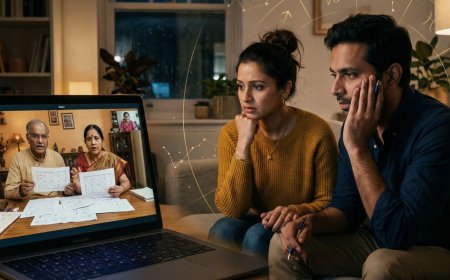
The vendor meeting with the Jaipur florist had been scheduled for six weeks. The florist was one of the most sought-after in Rajasthan — the wedding planner had spent three weeks getting the appointment — and the couple in London had blocked a Tuesday evening for the call, which was a Wednesday morning for the florist.
The call began at the scheduled time. The florist's internet connection dropped within four minutes. The reconnection took seven minutes. When the call resumed, the florist was on their phone rather than their laptop, which meant the floral photographs they wanted to show were now being displayed on a screen that was also being held up to a front-facing phone camera, producing an image of an image of flowers that communicated approximately nothing about the specific quality of the work.
The bride's audio was cutting in and out — a problem that turned out to be her Bluetooth headphones, whose battery had been at eleven percent at the start of the call and which had quietly disconnected without notification. For six minutes she had been speaking without anyone hearing her, which she discovered only when the florist asked whether she was still there.
The groom's laptop was positioned in front of a window. The afternoon light behind him had rendered him a silhouette. The florist could hear him but could not see his face — which, for a conversation in which the groom was attempting to convey his specific aesthetic vision, was a communication limitation.
By the time the technical problems had been resolved, twenty-eight minutes of the forty-five-minute meeting had been consumed. The florist — who had another appointment — could not extend the call. The meeting produced a general sense of the couple's preferences and a follow-up appointment that took another four weeks to schedule.
The florist, afterward, told the wedding planner that the couple seemed lovely but that the call had made it difficult to understand what they wanted.
The technical problems that consumed twenty-eight minutes of that meeting were entirely preventable. Each one had a specific cause and a specific solution that required at most thirty minutes of setup before the call.
This guide provides those solutions.
Why the Technical Setup Matters More Than It Should Have To
The NRI couple's vendor meeting window is narrow. The time zone difference between London and Jaipur, Toronto and Mumbai, Sydney and Delhi compresses the daily overlap into a specific window — the Indian vendor's morning that coincides with the NRI couple's previous evening, or the Indian vendor's evening that coincides with the couple's early morning. Within that window, the vendor has other clients, other calls, and a finite amount of time.
The meeting that works — that produces genuine understanding of the couple's vision, real assessment of the vendor's capability, and specific agreements about what happens next — requires two things: good communication and adequate time. The technical problems that absorb the time and distort the communication are the problems that make the narrow window narrower still.
Beyond the practical, there is a relational dimension. The Indian vendor — whose cultural context values the relationship alongside the transaction — forms a specific impression of the couple from their first meeting. The couple who appears on camera as a backlit silhouette, whose audio cuts in and out, and who spends a third of the meeting troubleshooting technical problems is communicating something about their attention to detail and their preparedness that the couple who appears clearly, speaks crisply, and arrives at the meeting fully ready to engage does not.
The setup is not only a technical matter. It is a professional presentation.
The Four Technical Variables That Determine Meeting Quality
Every video call's quality is determined by four variables: the internet connection, the audio, the video, and the environment. Each variable has a specific failure mode and a specific solution. The couple who has addressed all four before the meeting begins has eliminated the technical problems that most remote vendor meetings encounter.
Variable One: The Internet Connection
The internet connection is the foundation on which all other variables depend. The call with excellent audio, excellent video, and an excellent environment is still a bad call if the connection drops every four minutes.
The connection requirements:
A stable upload speed of at minimum five megabits per second for reliable HD video. A stable download speed of at minimum five megabits per second. A latency — the delay between sending and receiving data — of less than one hundred and fifty milliseconds. And stability — the connection that delivers these speeds consistently rather than intermittently.
The connection assessment:
Before any significant vendor meeting, run a speed test at the device and location from which the meeting will be conducted. The free speed testing tools — Speedtest by Ookla, Fast.com — provide upload speed, download speed, and latency in under a minute. The result tells the couple whether their connection is adequate before the meeting rather than during it.
The connection optimization:
If the speed test reveals an inadequate or marginal connection, several specific interventions improve it. Move physically closer to the WiFi router — connection quality degrades rapidly with distance through walls and floors. Switch from WiFi to a wired ethernet connection if the device and the router support it — the wired connection is significantly more stable than WiFi at equivalent speeds. Close every application and browser tab that is not needed for the meeting — background applications that consume bandwidth reduce the bandwidth available for the call. Pause any background downloads or cloud backup operations that are running during the meeting.
The mobile connection as backup:
For meetings where the home internet connection is unreliable, the mobile data connection — 4G or 5G — is a specific backup that is often more stable than a poor home WiFi connection. The couple who has confirmed that their mobile data connection is a reliable backup before the meeting has a specific contingency that the meeting does not depend on a single point of failure.
The contingency plan:
Every significant vendor meeting should have a specific contingency plan for connection failure — an agreement made before the meeting about what happens if the connection drops. The plan: if the video call drops and cannot be reconnected within three minutes, the meeting continues as a voice call through WhatsApp or a phone call. The vendor is told this plan at the start of the meeting. The meeting does not lose seven minutes to reconnection attempts when the contingency plan has been established in advance.
Variable Two: The Audio
Audio is more important than video in a vendor meeting. The meeting where the vendor cannot see the couple clearly is a diminished meeting. The meeting where the vendor cannot hear the couple clearly is a failed meeting.
The microphone assessment:
Every device has a built-in microphone whose quality ranges from adequate to poor. The built-in microphone is the default — but the default is not always the best option. The specific failure modes of built-in microphones in vendor meeting contexts: they pick up keyboard noise when the user types during the call. They pick up room echo in hard-surfaced rooms. They produce inconsistent volume when the speaker turns their head. And they do not discriminate between the speaker's voice and the background noise of the room.
The microphone options:
A dedicated USB microphone — the category that includes the Blue Yeti, the Audio-Technica AT2020, and numerous alternatives — provides significantly better audio quality than any built-in microphone. These microphones are directional, meaning they pick up the speaker's voice while rejecting sound from the sides and behind. They are condenser microphones, meaning they capture the voice with the clarity and the presence that the built-in dynamic microphone does not.
A quality headset with a boom microphone — the category used by customer service professionals and podcasters — provides directional audio at a lower cost than a dedicated USB microphone and with the additional benefit of isolating the speaker's hearing from room noise.
AirPods Pro and equivalent true wireless earbuds with active noise cancellation provide good audio quality for vendor meetings when they are charged, when the connection is stable, and when the call platform is receiving audio from them rather than from the built-in microphone. The specific risk: the wireless connection between earbuds and device can drop, as described in the opening scenario. Always confirm which audio input the call platform is using at the start of the meeting.
The audio test:
Before any significant meeting, test the audio setup by recording a thirty-second voice memo or by using the call platform's test call feature. Listen back to the recording and assess: is the voice clear and present? Is there significant background noise? Is there room echo? Is the volume appropriate? Address any problems before the meeting.
The background noise management:
The most common audio problem in vendor meetings is background noise — the traffic outside the window, the partner cooking in the adjacent room, the building's heating system. The noise that is imperceptible to the person in the room is often audible and distracting on the call, because the microphone picks up ambient noise without the human brain's selective filtering.
The solutions: a quiet room with the door closed, as far from noise sources as possible. A microphone with directional characteristics that rejects ambient noise. The meeting platform's noise suppression feature — available in Zoom, Google Meet, and Microsoft Teams — which uses software to reduce background noise in real time. And the discipline of muting the microphone when not speaking, which eliminates the contribution of the couple's ambient noise to the call's overall audio environment.
Variable Three: The Video
The video variable is less critical than the audio but more important than most couples assume — because the vendor who cannot see the couple's face clearly cannot read the non-verbal communication that conveys enthusiasm, uncertainty, and the specific emotional responses to what the vendor is showing that the words alone do not express.
The lighting requirement:
The single most impactful improvement to video quality in any meeting is lighting — specifically, having the primary light source in front of the face rather than behind it.
The backlit silhouette — the meeting where the couple sits in front of a window, with natural light behind them — is the most common video failure in home-based video calls. The solution is simple: move the position so the window is in front of rather than behind the speaker, or draw the blinds on the window behind and turn on a lamp in front.
For couples who take multiple vendor meetings and who want a consistently good video quality, a ring light — the circular LED light that mounts on a desk or a tripod and provides even, flattering frontal illumination — is a modest investment that produces a significant and immediate improvement. Ring lights are available for fifteen to fifty pounds and require no technical knowledge to use.
The camera position:
The camera should be at eye level — neither above nor below the face. The laptop camera positioned on a desk below eye level produces the specific unflattering angle of looking up the nose that nobody finds inspiring. The laptop elevated on a stack of books, or a dedicated laptop stand, to bring the camera to eye level produces a significantly more natural and communicative video image.
The background:
The background visible behind the speaker should be neutral, tidy, and not distracting. A blank wall, a bookshelf, or a clean living space is appropriate. A cluttered room, a pile of laundry, or a space whose visual chaos draws the viewer's attention away from the speaker is not.
For couples who prefer not to show their home environment, the virtual backgrounds available in Zoom and most other platforms provide a clean alternative — though the virtual background's edge artifacts, which are visible when the speaker moves quickly, are a specific visual quality compromise that a tidy real background avoids.
The camera quality:
The built-in camera on a recent laptop — from the past three years — is typically adequate for vendor meetings. The built-in camera on an older laptop, or on a budget laptop, may produce noticeably lower quality video that can be improved by a dedicated USB webcam. The Logitech C920 and its successors are the standard recommendation for dedicated webcams — providing 1080p video at a modest cost that improves the image significantly over older built-in cameras.
Variable Four: The Environment
The environment variable encompasses everything beyond the technical equipment — the room, the positioning, the time management, and the couple's own physical preparation for the meeting.
The room:
A quiet room with minimal echo is the optimal meeting environment. Hard-surfaced rooms — kitchens, bathrooms, rooms with stone or hardwood floors and bare walls — produce echo that makes the speaker's voice less clear and more fatiguing to listen to. Soft-furnished rooms — living rooms with carpets and soft furnishings — absorb the echo and produce cleaner audio. The meeting held in the home office or the living room is typically better than the meeting held in the kitchen.
The positioning:
Both partners at the camera, where both are attending the meeting. Not one partner in frame and the other leaning in from the side. Not one partner in a different room, joining via their own device, which produces the specific confusion of two voices from two sources that the vendor must navigate. If both partners are attending, both should be visible and both should be in an environment where they can speak clearly.
The time management:
Being ready before the meeting time — logged into the platform, with the connection tested, with the audio confirmed — rather than logging in at the meeting time and spending the first three minutes of the vendor's time on setup. The couple who is ready to engage from the first second of the meeting is making a specific statement about their respect for the vendor's time.
The preparation:
A list of the specific questions to be answered in the meeting. The references — the photographs, the mood board, the specific images that communicate the couple's vision — open and accessible before the meeting begins, not searched for during it. The vendor's portfolio — reviewed before the meeting so the conversation can reference specific work rather than asking the vendor to show work that the couple has not seen.
The Platform Assessment: Which Tool for Which Meeting
Zoom
Zoom is the most feature-complete video meeting platform available and the most appropriate for formal vendor meetings that require specific capabilities — screen sharing, breakout rooms for multi-party meetings, recording for reference, and the specific reliability that has made it the standard for professional meetings globally.
The specific advantages for NRI vendor meetings:
Screen sharing — the vendor can share their portfolio, their design presentation, their pricing documents directly from their screen, producing a significantly better experience than holding a printed document in front of a phone camera. The recording feature — with the vendor's consent — creates a reference that the couple can review after the meeting, which is valuable for the meeting where the vendor has shared extensive information that is difficult to retain in real time.
The noise suppression — Zoom's audio processing is among the best available in any platform, which mitigates the background noise problem in challenging environments.
The limitation:
Zoom requires both parties to have accounts or to join as guests. The Indian vendor who is unfamiliar with Zoom — who is accustomed to WhatsApp video and who finds the Zoom interface unfamiliar — may have a worse meeting experience on Zoom than on the platform they know. The couple should assess the vendor's platform preference before defaulting to Zoom.
Google Meet
Google Meet is the appropriate platform when both parties have Google accounts — which is the majority of individuals and most businesses. Its advantages: no software download required, it runs in the browser, which reduces the technical barrier for vendors who are not familiar with dedicated meeting software. Its integration with Google Calendar makes scheduling and invitation management straightforward.
The limitation:
Google Meet's feature set is less comprehensive than Zoom's — the recording feature requires a paid Google Workspace account, the noise suppression is less effective than Zoom's, and the screen sharing quality is marginally lower. For most vendor meetings, these limitations are not significant. For the meeting where screen sharing quality matters — the design presentation, the portfolio review — Zoom is the better choice.
WhatsApp Video
WhatsApp video is the platform that most Indian vendors are most comfortable with — it is the platform on which the majority of their personal and professional communication happens, and the invitation to a WhatsApp video call creates less friction than an invitation to install or learn a new platform.
The appropriate use:
WhatsApp video is appropriate for informal vendor check-ins, quick visual confirmations — the florist showing the progress of a sample arrangement, the seamstress confirming a fitting detail — and the meetings where the relationship warmth of a platform the vendor is comfortable with outweighs the technical quality advantage of a dedicated meeting platform.
The limitation:
WhatsApp video does not support screen sharing. Its video quality is lower than Zoom or Google Meet at equivalent connection speeds. And the call length limit — WhatsApp calls can occasionally drop at specific durations on some devices — makes it less reliable for extended formal meetings.
The practical recommendation:
Use WhatsApp video for the informal relationship-building calls and the quick visual check-ins. Use Zoom or Google Meet for the formal vendor assessment meetings where screen sharing and recording are valuable and where the full meeting duration is required.
FaceTime
FaceTime provides excellent audio and video quality within the Apple ecosystem — the couple on iPhone or Mac calling a vendor on iPhone. Its limitation is the same as its strength: it is restricted to Apple devices. The vendor who is on an Android device or a Windows computer cannot receive a FaceTime call.
For the specific scenario where both the couple and the vendor are on Apple devices, FaceTime is a high-quality, low-friction option. For any other scenario, it is not available.
The Multi-Party Meeting: When More Than Two Locations Are Joining
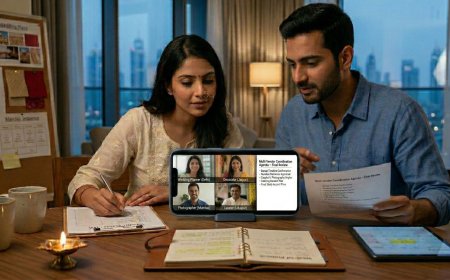
Many NRI wedding planning calls involve more than two locations — the couple in London, the bride's parents in Mumbai, and the vendor in Jaipur. The multi-party meeting introduces specific additional complexity that the two-party setup does not have.
The Coordination Challenge
The multi-party meeting has multiple audio sources, multiple video feeds, and multiple people who may speak simultaneously. The management of this complexity requires specific discipline.
The designated speaker model:
For multi-party vendor meetings, a designated primary speaker — typically one member of the couple — manages the meeting from the couple's side. The other participants listen and pass specific questions to the designated speaker through a separate WhatsApp text thread rather than joining the audio simultaneously. This prevents the cross-talk and the competing audio that makes multi-party meetings difficult for the vendor to navigate.
The meeting platform requirement:
Multi-party meetings require a platform that handles multiple participants reliably — Zoom or Google Meet rather than WhatsApp video, which is designed for two-party calls and degrades in quality with multiple participants.
The Family Alignment Meeting Before the Vendor Meeting
The multi-party vendor meeting that is also a family alignment meeting — where the couple and the parents are establishing their shared position while also assessing the vendor — is a meeting that is trying to do two things simultaneously and that serves neither well.
The family alignment should happen before the vendor meeting — a separate call or conversation that establishes the couple's unified position on the key questions before the vendor is in the room. The vendor meeting then serves the purpose of assessing the vendor rather than resolving family dynamics in the vendor's presence.
The Dry Run: The Setup That Is Worth Doing Once
For couples who are new to conducting multiple video vendor meetings, a single dry run — a test call conducted before the first vendor meeting — eliminates the setup problems that would otherwise be discovered in the vendor's time.
The dry run takes twenty minutes: set up the meeting environment, run the speed test, test the audio, test the video, confirm the lighting, and join a test call — most platforms provide a test meeting option — to see and hear exactly what the vendor will see and hear.
The problems discovered in the dry run: the Bluetooth headphones that had not been charged, the window behind the speaker that needed a blind, the laptop camera at the wrong angle, the platform's audio input that was defaulting to the built-in microphone rather than the external one — these problems take five minutes each to fix before the meeting and lose five minutes each of the vendor's time if they are fixed during it.
Do the dry run once. The setup that works consistently is the setup established before the first meeting rather than the setup that is still being refined in the fourth meeting.
The Meeting Conduct: Technical Setup Is the Foundation, Not the Ceiling
The technical setup described in this guide is the foundation — the specific work that eliminates the preventable problems. The quality of the vendor meeting above this foundation is determined by what the couple brings to the call: the preparation, the specific questions, the vision reference materials, and the specific communication about what they need and what they are assessing.
The vendor meeting whose technical setup is flawless but whose preparation is absent has not been improved by the technical investment. The vendor meeting whose technical setup is flawless and whose preparation is thorough — whose questions are specific, whose references are ready, whose communication is clear and warm and reciprocal — is the meeting that produces the outcome the six weeks of scheduling were for.
Eliminate the preventable problems. Then bring the preparation that the vendor's time deserves.
The florist in Jaipur who has another appointment after yours is giving you their focused attention for forty-five minutes. Make it forty-five productive minutes.
NRIWedding.com — Expert guidance for Indian weddings planned across borders.
What's Your Reaction?
 Like
0
Like
0
 Dislike
0
Dislike
0
 Love
0
Love
0
 Funny
0
Funny
0
 Angry
0
Angry
0
 Sad
0
Sad
0
 Wow
0
Wow
0