


















































Live Streaming Your Indian Wedding for Guests Who Cannot Travel — The Complete NRI Wedding Planning Guide
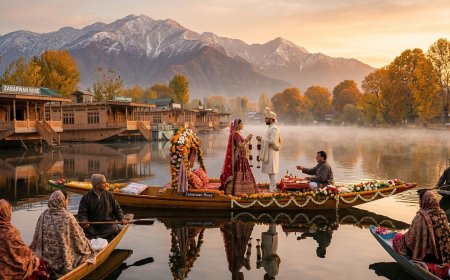
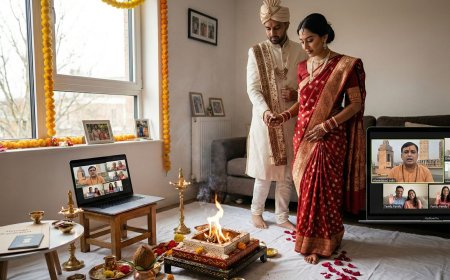
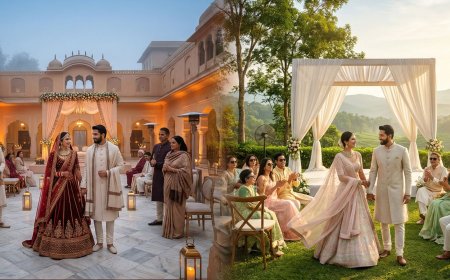
An 83-year-old grandmother in Chennai could not travel to her grandson’s wedding in Udaipur, but she had one wish—to see his face when he first saw the bride. During the ceremony, someone held a tablet so she could watch the moment live, despite a small screen and occasional connection drops. She later wrote that she had “witnessed” the wedding. Live streaming cannot replace physical presence, but it allows loved ones who cannot travel to still share important moments. This guide helps NRI couples plan reliable wedding live streams, covering internet setup, equipment options, platform choices, remote guest preparation, and technical testing to ensure distant family and friends can experience the celebration.


Live Streaming Your Indian Wedding for Guests Who Cannot Travel
The Empty Chair
The groom's grandmother had not left Chennai in eleven years.
She was eighty-three, in good health for her age but not in the health required for an international journey — the flights, the connections, the physical demands of four days of wedding events in Udaipur in December. Her doctor had advised against it. Her children had accepted his advice. She had accepted it too, with the specific grace of a person who understood the situation clearly and did not make it more difficult for anyone by pretending otherwise.
But she had made one request.
"I want to see his face when he sees her," she said to the groom's mother, three weeks before the wedding. "I want to see his face at that moment."
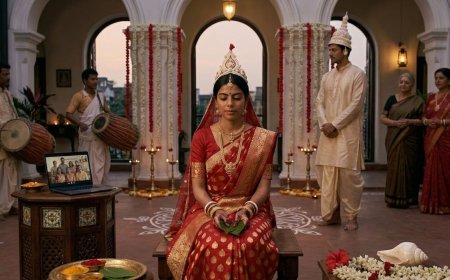
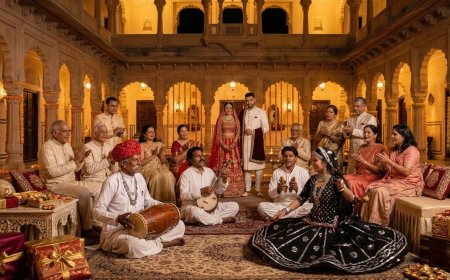
The groom's mother had called the wedding planner. The wedding planner had called the audiovisual company that had been contracted for the sangeet's sound and lighting. The audiovisual company had said they could set up a live stream — a camera feed from the ceremony, transmitted over the venue's WiFi to a video call that the grandmother could watch on the tablet her granddaughter had set up for her in Chennai.
On the day of the ceremony, at the specific moment when the bride appeared at the entrance to the mandap — the moment that the grandmother had described wanting to see — someone was watching the screen in Chennai and holding the tablet steady so that the grandmother could see the groom's face.
She saw it.
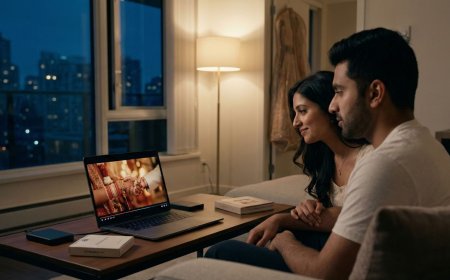
She saw it from eleven hundred kilometres away, on a seven-inch screen, through a connection that dropped twice during the ceremony and had to be restarted. She saw it imperfectly, with a two-second delay and the ambient sound of the Chennai afternoon mixing with the ceremonial music from Udaipur.
She saw it.
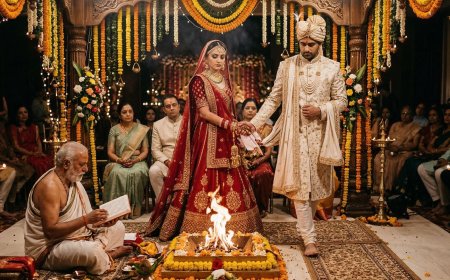
The live stream of the Indian wedding is not a substitute for presence. The grandmother watching the tablet in Chennai is not the same as the grandmother sitting in the front row of the mandap. The technology cannot reproduce the specific quality of being physically present at a significant human occasion — the smell of the marigolds, the heat of the fire, the specific energy of two hundred people gathered in the same space for the same purpose.
But for the guests who cannot be present — the grandmother whose doctor has advised against travel, the cousin whose visa was denied, the university friend in Australia who cannot take the leave, the elderly uncle who is too frail for the journey, the family member in a part of the world where the cost of the flight is genuinely prohibitive — the live stream is the difference between witnessing and not witnessing. Between being part of the occasion and reading about it afterwards.
That difference is significant. And the technology to bridge it — imperfectly, incompletely, but meaningfully — is available, accessible, and within the budget of the wedding that has already invested significantly in ensuring that every present guest has an excellent experience.
This guide is the framework for using it well.
The Planning Foundation: What a Wedding Live Stream Actually Requires
The Three Components
A wedding live stream that works reliably has three components — each of which requires specific decisions and specific preparation.
Component One: The Camera and Capture Setup
The camera or cameras that capture the wedding events and transmit the feed. The quality of the camera, its placement, and its stability determine the quality of the visual experience for the remote viewer.
Component Two: The Transmission Infrastructure
The internet connection, the encoding equipment, and the streaming platform that take the camera feed and transmit it to the remote viewers. The reliability of the transmission infrastructure determines whether the stream reaches the remote viewers continuously or intermittently.
Component Three: The Viewing Experience
The platform, the device, and the link through which the remote viewers access the stream. The simplicity of the viewing experience determines whether the grandmother in Chennai can access it without technical assistance or whether it requires a family member to manage it on her behalf.
All three components must work together reliably for the live stream to deliver the experience that the groom's grandmother described wanting — the ability to see the specific moment, clearly, without interruption.
The Internet Connection: The Critical Variable
The most common point of failure in a wedding live stream is not the camera or the platform — it is the internet connection at the venue. The Indian wedding venue, particularly the destination wedding venue in Rajasthan or Kerala, may have internet infrastructure that is adequate for the venue's administrative use and entirely inadequate for the sustained upload bandwidth that a live stream requires.
The upload bandwidth requirement:
A standard definition live stream (720p) requires approximately three to five megabits per second of sustained upload bandwidth. A high definition stream (1080p) requires eight to twelve megabits per second. A multi-camera stream requires proportionally more bandwidth per camera.
The venue's advertised WiFi speed is almost never the relevant figure — the relevant figure is the sustained upload bandwidth available at the specific location within the venue where the ceremony will take place, at the specific time of day, with all the other venue WiFi users simultaneously connected. This figure must be tested — not assumed, not estimated from the venue's quoted broadband speed, but actually tested with a live stream test at the actual location on a day before the wedding.
The backup connection:
For any significant live stream — one where the remote viewer's access to the ceremony is genuinely important — the venue's WiFi should be supplemented or replaced by a dedicated mobile data connection. A 4G or 5G mobile router — a dedicated device that creates a WiFi hotspot from a mobile data SIM card — provides a connection that is independent of the venue's WiFi infrastructure and that the streaming setup can rely on exclusively.
In India, Jio and Airtel 4G SIM cards with sufficient data plans are available easily and inexpensively — a dedicated streaming SIM with a large data package costs a fraction of what the streaming equipment costs, and provides the connection reliability that makes the difference between a stream that works and one that drops repeatedly.
The cellular signal test:
Before committing to a mobile data backup connection, test the cellular signal strength at the specific ceremony location — the mandap position, the nikah area, the indoor ceremony hall. Destination wedding venues in rural Rajasthan, heritage properties in remote locations, and indoor venues with thick stone walls may have weak cellular signal that makes a mobile data backup unreliable. Test the signal at the location before the strategy depends on it.
The Equipment Options: From Simple to Professional
Option One: The Smartphone Setup
The simplest live stream setup — a smartphone on a tripod, connected to the venue's WiFi or a mobile data hotspot, streaming directly through a platform application — is capable of producing a viewing experience that is entirely adequate for the remote grandmother's specific request: to see the groom's face when he sees the bride.
What is needed:
A smartphone with a good camera — any current flagship iPhone or Android phone with a quality camera is adequate for this purpose. A stable tripod with a phone mount. A power bank or a cable connected to a power source — a live stream running for two to three hours will drain a smartphone battery completely. A stable internet connection as described above.
The platform:
YouTube Live allows a direct live stream from a smartphone through the YouTube application, with a private or unlisted stream link that can be shared with specific viewers. The stream is stored on YouTube after the event as a replay, which the remote viewers can watch if they missed any portion.
Zoom also supports a live stream from a smartphone — the ceremony is hosted as a Zoom meeting that the remote viewers join with a standard meeting link. Zoom is the most accessible option for remote viewers who are already familiar with video calling but has limitations in stream quality relative to dedicated streaming platforms.
The limitations:
A single smartphone provides a single camera angle — the remote viewer sees whatever the camera is pointed at, without the flexibility of a multi-camera setup to capture different moments and perspectives. The smartphone setup is adequate for making a specific moment accessible to a remote viewer but is not adequate for creating a comprehensive live stream experience for a large remote audience.
Option Two: The Professional Livestream Service
The professional live stream service — a dedicated team with professional cameras, encoding equipment, a reliable independent internet connection, and the technical expertise to manage the stream throughout the event — is the appropriate choice for the wedding where the live stream is a significant component of the guest experience rather than an accommodation for a single specific viewer.
What the professional service provides:
Multi-camera coverage — two to four cameras positioned at different locations in the venue, with a technical director switching between feeds to capture the ceremony from multiple angles. This is the specific capability that transforms the live stream from a single static view into a genuine broadcast experience.
Professional audio capture — a dedicated audio feed from the ceremony's sound system or from dedicated microphones positioned near the priest, the couple, and the musicians, producing audio quality that the remote viewer can actually hear rather than the ambient room sound captured by a smartphone microphone from twenty feet away.
Graphics overlays — name lower thirds identifying the speakers, event titles identifying the ceremony moments, countdown clocks for the remote viewer who is waiting for a specific ritual to begin.
A technical director managing the stream throughout — monitoring the connection quality, switching between cameras, managing the audio levels, and responding to any technical issues before they become stream failures.
The cost:
Professional live stream services for Indian weddings in major destination wedding cities — Udaipur, Jaipur, Mumbai, Delhi, Goa — range from approximately twenty-five thousand to one lakh rupees per event, depending on the number of cameras, the duration of the stream, and the complexity of the technical setup. For the full wedding programme across multiple events, the total live stream budget is typically between fifty thousand and two lakh rupees.
This represents a meaningful additional budget line — but one that is modest relative to the overall wedding investment and significant relative to the experience it provides to the guests whose physical absence it bridges.
Option Three: The Hybrid Approach
For many NRI weddings, the optimal approach combines the professional live stream service for the ceremony — the most significant event, the one where the quality of the remote viewer's experience matters most — with a simpler smartphone setup for the less formal events where the live stream serves a more casual function.
The sangeet's live stream — where the remote grandmother wants to watch the performances and see the family dancing — can be adequately served by a smartphone on a tripod with a stable connection. The ceremony's live stream — where the grandmother wants to see the specific moment the groom described — deserves the professional setup.
The hybrid approach allocates the live stream budget where the experience quality matters most.
The Platform: Where the Stream Lives
YouTube Live
YouTube Live is the most robust and most accessible live streaming platform for the wedding context — it is free, it supports streams of unlimited duration, it stores the stream as a replay video after the event, and it is accessible on any device with a browser without requiring the viewer to create an account or install an application.
The privacy settings:
YouTube Live offers three privacy settings: Public (accessible to anyone, including in search results), Unlisted (accessible to anyone with the link, but not in search results), and Private (accessible only to specific YouTube accounts that have been invited).
For wedding live streams, Unlisted is typically the appropriate setting — the stream is accessible to anyone the couple shares the link with, without appearing in YouTube's public search or recommendation systems. Private is appropriate for the most intimate ceremonies where the couple wants specific control over who can access the stream.
The setup:
YouTube Live streams can be initiated directly from the YouTube application on a smartphone (the simplest approach) or through streaming software on a computer (for professional setups). The stream link — the URL that the remote viewers will use to access the stream — is generated when the stream is created and can be shared in advance so that the remote viewers have it ready before the event begins.
The replay:
After the live stream ends, YouTube stores the stream as a video on the channel — accessible at the same URL — which the remote viewers can watch as a replay at their convenience. This replay function is one of the most valuable aspects of YouTube Live for the wedding context: the family member who was watching the stream but whose connection dropped at a critical moment can watch the replay to see what they missed.
Zoom
Zoom is the most familiar video conferencing platform for most of the NRI wedding's remote viewers — particularly the older family members who have been using Zoom for family calls since the pandemic normalised video calling.
The advantages:
Familiarity: the grandmother who has been Zooming with her grandchildren every Sunday for three years knows exactly how to join a Zoom meeting. The barrier to access is lower than for any other platform.
Two-way interaction: Zoom's default setting allows all participants to be seen and heard — the remote viewers can be present on screen during the event, their faces visible to the couple and the assembled guests. The remote grandmother is not just watching — she is, in a limited but genuine sense, present.
The limitations:
Participant limits: Zoom's free tier limits meetings to one hundred participants and forty minutes. The paid tiers extend these limits — Zoom Pro allows meetings of up to one hundred participants with no time limit — but the participant limit constrains the scale of the remote audience.
Broadcast mode: for large remote audiences, Zoom's Webinar product (a separate, more expensive tier) supports up to one thousand viewers in a one-way broadcast mode where the remote viewers see the stream but are not visible to the event space. This is the appropriate Zoom product for a large-scale wedding live stream rather than the standard meeting format.
Audio quality: Zoom's audio is optimised for conversation rather than ceremony — the music, the chanting, the specific audio character of a wedding ceremony may not transmit as well through Zoom as through a dedicated streaming platform.
Vimeo Live
Vimeo Live is the professional-grade live streaming platform — higher video quality than YouTube, more control over the viewing experience, and a more refined interface — but it requires a paid Vimeo subscription and is less familiar to most remote viewers than YouTube or Zoom.
Vimeo Live is the appropriate platform for the couple who is working with a professional live stream service and wants the highest-quality viewing experience, and who has remote viewers who are comfortable navigating an unfamiliar platform for a high-quality result.
WhatsApp Video Call
For the single remote viewer whose access is the specific priority — the grandmother, the specific family member — a WhatsApp video call is the simplest and most personal solution. A family member at the wedding holds their phone and maintains a WhatsApp video call with the remote viewer throughout the ceremony.
The WhatsApp video call has obvious limitations — a single viewing angle determined by whoever is holding the phone, audio quality dependent on the phone's microphone and the ambient noise in the venue, and the physical and social demands on the family member who is managing the call rather than participating in the ceremony.
But for the grandmother who wants to see the groom's face at the specific moment — and for whom the personal connection of a video call with a family member is more meaningful than the broadcast quality of a professional stream — the WhatsApp call is the human solution that the technology enables and that the occasion sometimes calls for.
The Remote Viewer Experience: Designing for the Audience
The Viewer Preparation
The live stream that works technically but that the remote viewer cannot access because they do not know the link, or cannot figure out how to open it, or whose device does not support the platform, has not served its purpose. The remote viewer experience must be designed from the viewer's end as well as the streaming end.
The viewer preparation checklist:
Send the stream link at least twenty-four hours before the event — not on the morning of the ceremony when the remote viewer is managing their own preparations for the occasion.
Include clear, simple instructions for how to access the stream — ideally with screenshots. The instruction for the grandmother in Chennai who is not technically sophisticated should assume no prior knowledge of the platform.
Specify the start time in the remote viewer's time zone — not the wedding venue's time zone. The ceremony begins at eleven AM IST. For the viewer in London, this is six thirty AM. For the viewer in Toronto, this is one thirty AM. State these times explicitly in the communication, with a specific instruction to join the stream five to ten minutes early to confirm the connection is working before the ceremony begins.
Identify a specific person at the wedding who the remote viewer can contact if they have difficulty accessing the stream — and make sure that person has their phone available and is checking it during the pre-ceremony period.
Test the stream with the remote viewer in advance — a brief test call the day before the wedding to confirm that their device, their internet connection, and their access to the platform all work as expected. This ten-minute test call prevents the situation where the stream is working perfectly and the remote viewer is unable to access it.
The Time Zone Management
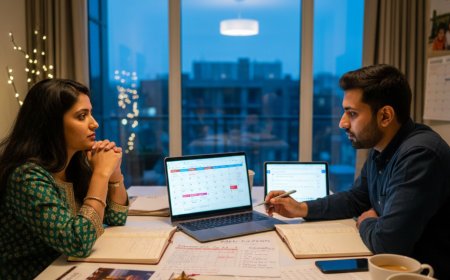
The NRI wedding's remote viewers are in multiple time zones — London, Toronto, Sydney, Dubai, Singapore — and the ceremony timing that is ideal for the wedding's India-based guests may be deeply inconvenient for the remote viewers in other time zones.
The time zone communication:
Every communication about the live stream timing should include the time in IST, the time in the relevant international time zones, and a clear statement of which time zone the quoted time refers to. A ceremony starting at eleven AM IST is six thirty AM BST, one thirty AM EST, and seven thirty PM AEST on the same day. These are very different viewing contexts — the London viewer is watching before going to work, the Toronto viewer is watching in the middle of the night, the Sydney viewer is watching in the early evening.
Acknowledge these realities in the communication: "We know this is an early morning for our UK guests and a late night for our North American guests — it means more to us than we can say that you are willing to watch at that hour."
The replay provision:
For the remote viewers whose time zone makes the live stream genuinely inaccessible — the ceremony at eleven AM IST is one thirty AM EST for the Toronto viewer who has work the next day — the replay is the primary provision. The YouTube Live replay, the Zoom recording, or the post-ceremony video upload gives the viewer who could not watch live the ability to watch in their own time.
Communicate the replay availability explicitly and in advance: "The ceremony will be live streamed on YouTube — if you cannot watch live due to the time difference, the full recording will be available on the same link immediately after the ceremony ends."
The Participation Design
The remote viewer whose experience is designed as passive watching — a video feed of an event happening without them — is a different remote viewer from the one whose experience is designed with participation in mind.
The participation mechanisms:
A dedicated screen at the wedding venue displaying the remote viewers' video feeds — the Zoom gallery view of the remote participants, projected on a screen at the reception — makes the remote viewers visible to the assembled guests and gives them a form of physical presence at the event.
A specific moment in the ceremony or reception where the officiant or the MC addresses the remote viewers directly — "We know that many of our family and friends are joining us from around the world — we see you and we are so glad you are here" — acknowledges their presence and makes them feel included rather than merely accommodated.
A message mechanism — a dedicated WhatsApp number or an email address — where remote viewers can send congratulations messages during the live stream that are read aloud during a specific moment in the reception. The remote viewer who sends "Congratulations from Sydney — we are so proud of you both" and hears it read at the reception has participated in the occasion rather than merely observed it.
The Multi-Event Live Stream: Planning Across the Wedding Programme
Which Events to Stream
Not every event in the NRI wedding programme is equally appropriate for live streaming — and attempting to stream everything across three or four days produces a logistical burden that compromises the quality of the events that matter most.
The events that most benefit from live streaming:
The ceremony — the most significant event, the one that remote viewers most want to witness, the one where the quality of the stream experience matters most. This event warrants the highest quality stream setup and the most thorough preparation.
The reception — specifically the speeches, the first dance, the cake cutting, and the moments that the remote viewer would specifically want to see. A highlights stream of the reception's key moments is more valuable than a continuous five-hour stream that includes the full dinner service.
The events that are less appropriate for live streaming:
The mehndi — a social, participatory event that does not translate as well to the passive viewing experience of a live stream. The remote viewer watching a mehndi live stream is watching people have henna applied and conversations they cannot hear clearly — a pleasant background but not a compelling stream.
The getting-ready moments — the pre-ceremony preparation that is being documented by the photographer and videographer — are typically too private and too intimate for live streaming to the broad remote audience.
The Stream Schedule
For the NRI wedding that is streaming multiple events across the wedding programme, a published stream schedule — shared with the remote viewers in advance — manages their expectations and their viewing plans.
The stream schedule should include:
The event name. The date. The start time in IST and in the relevant international time zones. The stream link (or confirmation that the same link will be used for all events). The approximate duration. A note on the replay availability.
The stream schedule is the document that allows the viewer in London to plan whether to watch live or rely on the replay, the viewer in Toronto to decide which events are worth the late-night viewing, and the viewer in Sydney to organise their evening around the specific events they most want to see.
The Technical Preparation: The Week Before
The Venue Technical Assessment
At least one week before the wedding — and ideally during a site visit specifically for this purpose — conduct a technical assessment of the venue's streaming infrastructure:
Test the WiFi upload speed at the specific ceremony location using a speed test application. The upload speed — not the download speed — is the relevant figure.
Test the cellular signal strength at the ceremony location on the mobile networks being used for the backup connection.
Identify the nearest power outlet to the ceremony location for powering the streaming equipment and the mobile router.
Walk the camera positions — the angles that will capture the ceremony's key moments — and confirm that the camera placed at each position can transmit to the encoding equipment without a signal interruption.
The Rehearsal Stream
The day before the ceremony — during the ceremony rehearsal if one is taking place, or as a dedicated technical rehearsal — conduct a full test of the complete streaming setup. Run the stream for thirty minutes. Have a family member access the stream from a device and confirm the video and audio quality. Identify and resolve any technical issues before the ceremony day.
The test stream with the actual remote viewers — the grandmother in Chennai, the cousin in London — is the most valuable rehearsal. The technical issue that would have caused the stream to fail during the ceremony is discovered and fixed the day before.
Common Mistakes NRI Couples Make With Wedding Live Streams
The first mistake is relying on the venue's WiFi without testing its upload capacity at the specific ceremony location. The venue that claims high-speed WiFi may have infrastructure that is adequate for the lobby and the administrative offices and entirely inadequate for the sustained upload bandwidth that a live stream requires from the ceremony space fifty metres from the router. Test the specific location's specific upload speed — do not assume.
The second mistake is not preparing the remote viewers for the platform and the access method. The live stream that is technically excellent but that the grandmother cannot access because nobody explained how to open the link has not served its purpose. Prepare the remote viewers with simple instructions, a device test, and a point of contact for technical assistance — at least twenty-four hours before the event.
The third mistake is streaming without a dedicated audio solution. The smartphone microphone capturing the ceremony audio from across the mandap produces a stream where the remote viewer can see the ceremony clearly and cannot hear the vows, the priest's recitation, or the specific words that make the ceremony meaningful. Audio quality is as important as video quality — in many cases more important — and must be specifically addressed in the stream setup.
The fourth mistake is not providing a replay for remote viewers in inconvenient time zones. The live stream that is not recorded and stored for replay requires the remote viewer in Toronto to watch at one thirty in the morning or not watch at all. The replay provision — which requires only that the stream platform's recording setting is enabled before the stream begins — is the specific accommodation that makes the live stream genuinely accessible across time zones.
The fifth mistake is treating the live stream as an afterthought — a last-minute addition managed by whoever is available rather than a planned component of the wedding's technical production. The live stream that is planned alongside the audiovisual setup, budgeted alongside the photography and videography, and prepared with the same rigour as the other technical elements of the wedding is the live stream that works. The live stream that is arranged in the final week, without a venue internet test, without a platform rehearsal, and without a viewer preparation process, is the live stream that drops repeatedly and restores partially and delivers the specific disappointment of a promise not quite kept.
The Witness Across the Distance
The grandmother in Chennai saw the groom's face when he saw the bride.
She saw it imperfectly — through a seven-inch screen, with a two-second delay, on a connection that dropped twice and had to be restarted. She did not smell the marigolds or feel the heat of the fire or experience the specific energy of two hundred people gathered in the same space. She was not there.
But she witnessed it.
And the word the groom used, years later, when he described what his grandmother had said about the wedding — the word she had used in her letter to him the week after, written in Tamil and translated by his mother — was not "watched." It was not "saw." It was witnessed. She had told him that she had witnessed his wedding, and that it was one of the great privileges of her long life.
The live stream did not give her presence. It gave her witness. The specific, meaningful, irreplaceable experience of being part of an occasion that was happening without you — of seeing the faces and hearing the words and following the rituals and knowing, in real time, that the thing you cared about was happening and that you were connected to it.
For the guests who cannot travel — the grandmother whose doctor has advised against it, the cousin whose visa was denied, the friend in Australia who cannot take the leave, the family member for whom the journey is genuinely not possible — the live stream is not the consolation prize for missing the wedding.
It is the specific technology that makes witness possible across distances that presence cannot bridge.
Plan it properly.
Test the connection.
Prepare the viewers.
Stream the ceremony.
And give the people who love you the ability to see your face at the moment that matters — wherever in the world they are watching from.
Published by NRIWedding.com — The Premium Global Platform for Non-Resident Indians Planning Indian Weddings From Abroad.
What's Your Reaction?
 Like
0
Like
0
 Dislike
0
Dislike
0
 Love
0
Love
0
 Funny
0
Funny
0
 Angry
0
Angry
0
 Sad
0
Sad
0
 Wow
0
Wow
0